部署 测试环境下的快捷部署方案
生产环境应该使用外置的高可用 postgresql 和 redis。
1
2
3
4
5
6
helm repo add gitlab https://charts.gitlab.io/ helm search repo -l gitlab/gitlab NAME CHART VERSION APP VERSION DESCRIPTION gitlab/gitlab 9.8.2 v18.8.2 GitLab is the most comprehensive AI-powered Dev... gitlab/gitlab 9.8.1 v18.8.1 GitLab is the most comprehensive AI-powered Dev...
我这里安装最新的 v18.8.2 版本
1 helm pull gitlab/gitlab --version 9.8.2
准备工作
集群中需要有一个默认的 storageClass。否则需要指定。
1 kubectl patch sc alicloud-disk-cloud-sperf -p '{"metadata":{"annotations":{"storageclass.kubernetes.io/is-default-class":"true"}}}'
安装
1
2
3
4
5
6
7
8
9
10
11
12
13
14
15
helm upgrade --install gitlab . **\** --namespace gitlab \ --create-namespace \** ** --timeout 600s **\ ** --set global.hosts.domain=gitys.com **\ ** --set global.hosts.externalIP=10.10.10.10 **\ ** --set certmanager-issuer.email=helloyunsheng@126.com \ --set gitlab-runner.install=false \ --set minio.persistence.size=20Gi \ --set postgresql.primary.persistence.size=20Gi \ --set postgresql.readReplicas.persistence.size=20Gi \ --set redis.master.persistence.size=20Gi \ --set redis.replica.persistence.size=20Gi \ --set gitaly.persistence.size=20Gi \ --set prometheus.server.persistentVolume.size=20Gi
gitlab-runner.install=false 先不安装 runner。后面单独部署 runner。
minio.persistence.size=20Gi 这个是因为我这使用的是阿里云 ack,他的 pvc 要求最小是 20G,而 gitlab 的默认是 10G,会导致 pvc 一直 pending。
1
2
3
4
5
6
7
8
9
10
11
12
13
14
15
16
17
18
19
20
21
22
23
24
25
$ kubectl - n gitlab get pod NAME READY STATUS RESTARTS AGE gitlab- certmanager-68 bd67c778- w95m6 1 / 1 Running 0 4 d20h gitlab- certmanager- cainjector-668 b49cdd9-6 z6vv 1 / 1 Running 0 4 d20h gitlab- certmanager- webhook-785 f55b64b- dsk87 1 / 1 Running 0 4 d20h gitlab- gitaly-0 1 / 1 Running 0 4 d20h gitlab- gitlab- exporter-6 c87fcfd44- b8stl 1 / 1 Running 0 4 d20h gitlab- gitlab- shell-868 c489c45- bzhlk 1 / 1 Running 0 4 d20h gitlab- gitlab- shell-868 c489c45- dtgl9 1 / 1 Running 0 4 d20h gitlab- kas-656 b58dd77- h79lw 1 / 1 Running 3 (4 d20h ago) 4 d20h gitlab- kas-656 b58dd77- t7fx9 1 / 1 Running 2 (4 d20h ago) 4 d20h gitlab- migrations- fb7b833- kbpxv 0 / 1 Completed 2 4 d20h gitlab- minio-84988 bcc94-4 cgw2 1 / 1 Running 0 4 d20h gitlab- minio- create - buckets-6523680 - hsddh 0 / 1 Completed 0 4 d20h gitlab- nginx- ingress- controller-686 c67b947-8 sgkc 1 / 1 Running 0 4 d20h gitlab- nginx- ingress- controller-686 c67b947- kc8xb 1 / 1 Running 0 4 d20h gitlab- postgresql-0 2 / 2 Running 0 4 d20h gitlab- prometheus- server-5 d8c694546- k88zz 2 / 2 Running 0 4 d20h gitlab- redis- master-0 2 / 2 Running 0 4 d20h gitlab- registry-7 bf874b696-7 z24g 1 / 1 Running 0 4 d20h gitlab- registry-7 bf874b696- fps6x 1 / 1 Running 0 4 d20h gitlab- sidekiq- all - in -1 - v2-559 c95f89d- rcvv5 1 / 1 Running 1 (4 d20h ago) 4 d20h gitlab- toolbox-78674765 bb- b95b7 1 / 1 Running 0 4 d20h gitlab- webservice- default -6867 b55b56- hvfcx 2 / 2 Running 1 (4 d20h ago) 4 d20h gitlab- webservice- default -6867 b55b56- qkz2h 2 / 2 Running 1 (4 d20h ago) 4 d20h
注意:
下载镜像很慢。很慢。
我这里没有同时安装 gitlab runner。因为 gitlabrunner 是负责执行业务流水线的实例,我希望安装在单独的 ns 或其他 k8s 集群中,不和 gitlab 主程序混在一起。
查看ingress
1
2
3
4
5
6
$ kubectl -n gitlab get ingress NAME CLASS HOSTS ADDRESS PORTS AGE gitlab-kas gitlab-nginx kas.gitys.com 10.222.242.114 80, 443 3d23h gitlab-minio gitlab-nginx minio.gitys.com 10.222.242.114 80, 443 3d23h gitlab-registry gitlab-nginx registry.gitys.com 10.222.242.114 80, 443 3d23h gitlab-webservice-default gitlab-nginx gitlab.gitys.com 10.222.242.114 80, 443 3d23h
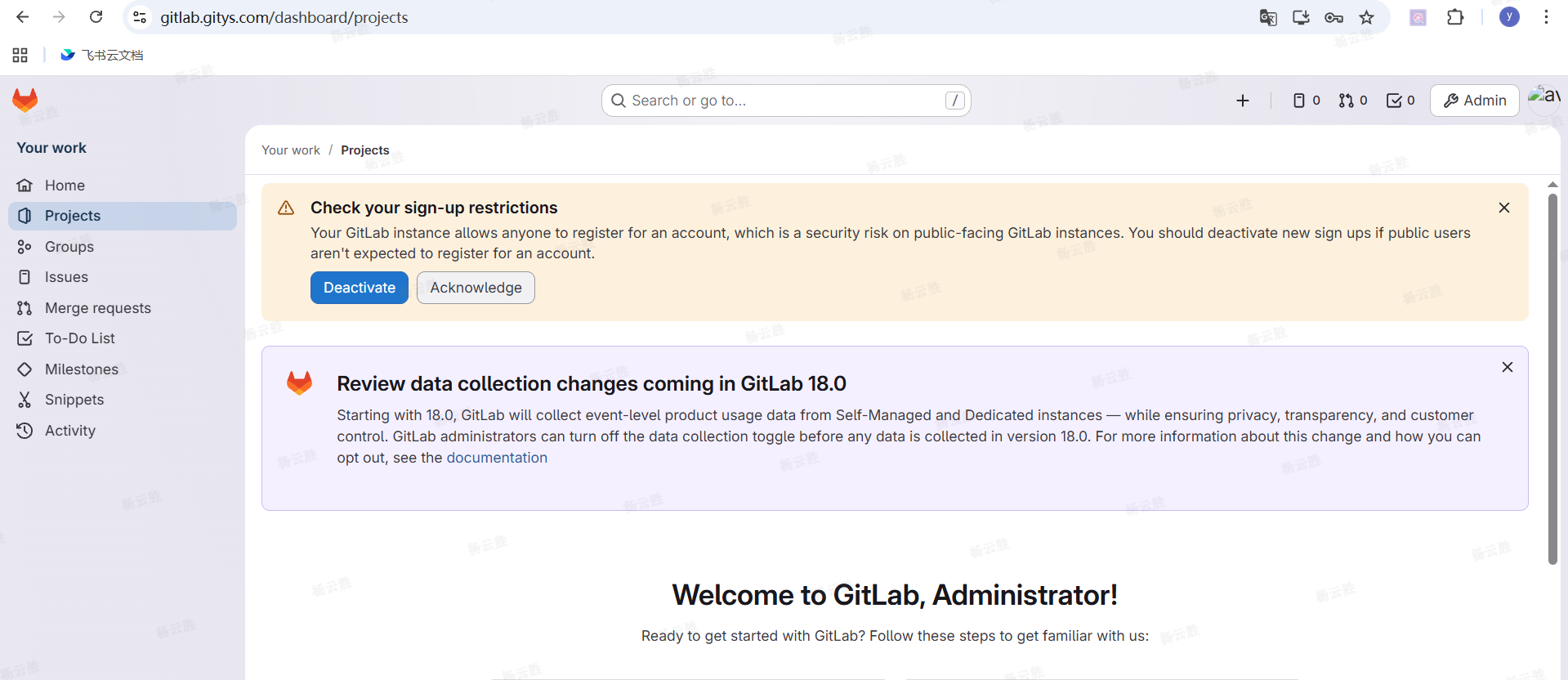
登录
我本地配置了 hosts 域名解析
查看初始化的默认密码
1
2
$ kubectl -n gitlab get secret gitlab-gitlab-initial-root-password -ojsonpath='{.data.password}' | base64 -d ; echo xM5e5iyYDbOtxibK5BloBCMJ0KhSi3eNRZWDziGnI8LtYQ5IGbK7pqTTRuqoyWC0
不要怀疑,这一串就是。
改密
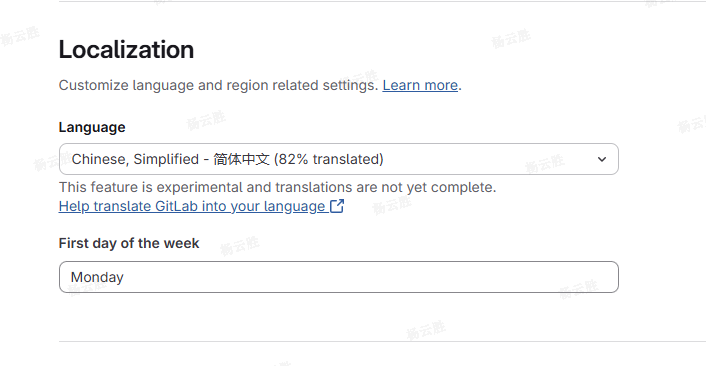
设置为中文